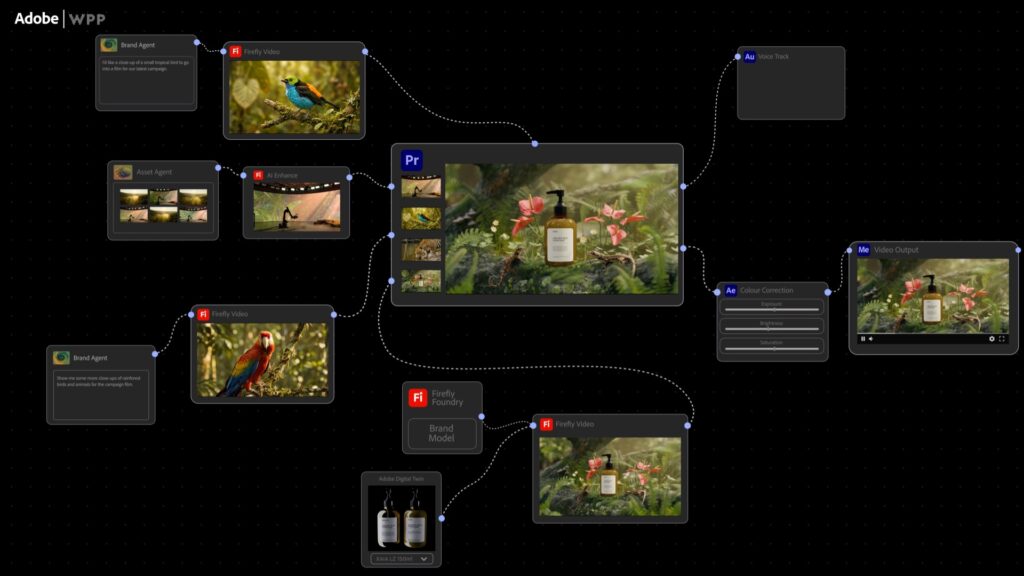
Adobe Introduces ChatGPT Integration Through MCP, Allowing AI Tools to Connect Directly with Creative Apps
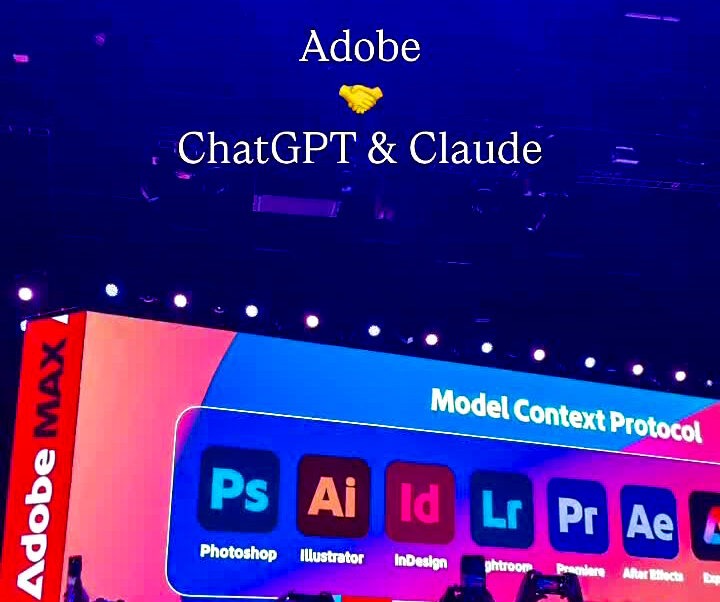
The Adobe ChatGPT integration is changing how people edit images, design graphics and handle PDFs.
Adobe launched Photoshop, Adobe Express and Acrobat for ChatGPT, making them available to the platform’s 800 million users. Instead of opening separate software, users type instructions into a chat window.
The connection runs on a technology called the Model Context Protocol (MCP), and Adobe now plans to extend it to its desktop Creative Cloud apps.
What Is the Adobe ChatGPT Integration?
The Adobe ChatGPT integration puts parts of Adobe’s creative software inside ChatGPT. Users can edit images, design content and manage documents directly through ChatGPT using simple text prompts.
It launched in December 2025, shortly after OpenAI opened ChatGPT to third-party apps. That app ecosystem started in October with partners like Canva, Spotify, Expedia and Figma. The Adobe apps were among the first major creative tools to arrive there.
How MCP Powers the Adobe ChatGPT Integration
MCP is the technical layer behind the integration. At its base, MCP lets AI models such as Claude, ChatGPT or Gemini securely connect to business tools, databases and workflows.
Adobe describes its own connectors the same way, as a standard way for AI assistants to communicate with external tools.
In practice, ChatGPT interacts with Adobe applications through an MCP server, which gives natural-language access to a slice of Adobe’s features. One Adobe executive described the approach in building-block terms. Adobe builds the individual MCP tools and writes detailed instructions for how the AI should use them.
Because MCP is an open standard, the connection can work across any MCP-compliant AI platform, not just ChatGPT.
How to Use the Adobe ChatGPT Integration Step by Step
Start in ChatGPT on desktop, web or iOS. The integration is available on all three, and Adobe Express also works on Android. To call an app, either name it in your prompt or select it from the plus menu.
You will also need to sign in. The tools are free inside ChatGPT, but Acrobat and Adobe Express require an Adobe account login.
Then give a plain-language instruction. Adobe’s example was uploading a holiday photo and asking Photoshop to make the people stand out.
Another example is asking Photoshop to blur the background of an image. You can keep refining the result with follow-up prompts.
What the Adobe ChatGPT Integration Can Do
In Photoshop, you can make core edits such as background blur, brightness changes and effects. Photoshop’s connection stands out for an interface that adapts to the prompt you give it.
In Adobe Express, you can build designs such as invitations and social posts from a text description. In Acrobat, you can handle document tasks, including generating and managing PDFs without switching between platforms.
One secondary report says the generative features are powered by Firefly Image Model 5, with a maximum output of 2K resolution and standard generative credits applying. Treat these details as unconfirmed until you check Adobe’s own documentation.
Limits of the Adobe ChatGPT Integration
Adobe is clear that this is a lighter version of its software. When deeper precision is needed, users can move to Adobe’s web apps in one click.
The integration does not replicate professional features like layered editing or extensive formatting. For print-ready or highly detailed work, the full desktop apps are still the better choice.
Adobe ChatGPT Integration and the Wider MCP Expansion
The next phase goes beyond ChatGPT’s chat window. Adobe plans an MCP integration that lets third-party AI agents from companies such as OpenAI, Google and Anthropic work directly with Creative Cloud.
The local MCP integrations are expected to enter private beta in early 2027. According to a separate report, access will start with local endpoints on desktop, with cloud access added later, and outside AI agents could drive Adobe apps for tasks such as rotoscoping and filling holes in images.
Adobe also previewed always-on AI agents that handle repetitive creative tasks in the background, even when users are away from their desks.
How the Adobe ChatGPT Integration Compares With Canva
Canva has its own ChatGPT integration. One report frames Canva’s version as focused on speed and template-driven social content, while Adobe’s routes through professional-grade tools. That is the main difference for creators choosing between them.
What the Adobe ChatGPT Integration Means for Nigerian Creators
Many Nigerian designers, content teams and small businesses work on mobile data and mid-range laptops. Heavy desktop software can be hard to run in that setting.
Handling edits and PDFs through a chat interface lowers that barrier, since the heavy processing runs on Adobe’s servers. Connectivity and data costs still apply, and an Adobe login is still required.
Final Thoughts on the Adobe ChatGPT Integration
The Adobe ChatGPT integration shows MCP moving from a developer standard to something everyday users touch. With desktop MCP access planned for early 2027, creative work may increasingly start in an AI assistant and finish in a professional app.